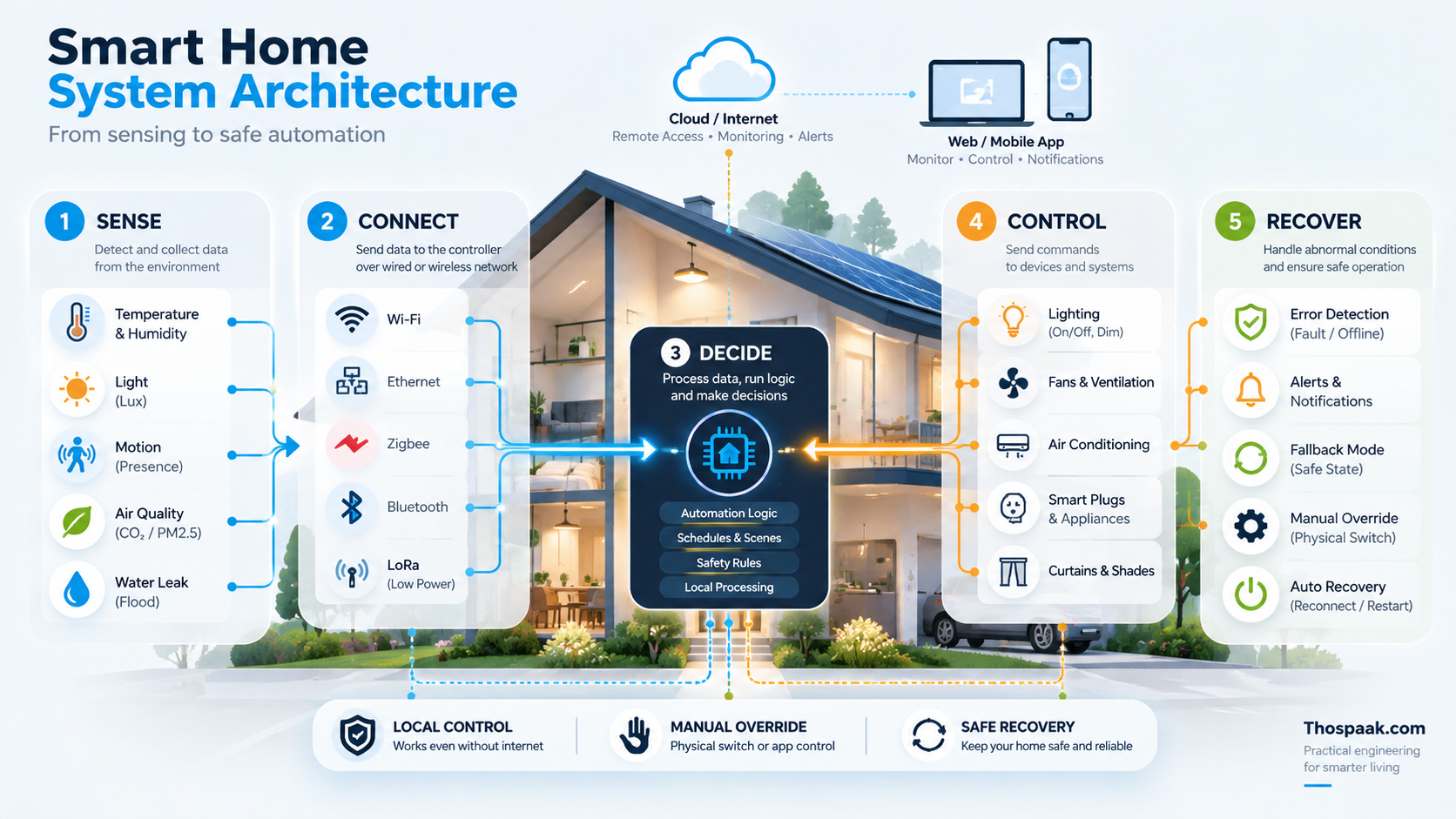
Smart Home Network Design: วาง Ethernet, Wi-Fi, Gateway และ IoT Network อย่างไรให้บ้านอัจฉริยะเสถียร.
แนวทางวาง Network สำหรับ Smart Home ตั้งแต่ Ethernet Backbone, Access Point, Controller, Gateway, IoT segmentation, discovery และ failure domain โดยไม่แก้ทุกอย่างด้วย Wi-Fi repeater
Smart Home ที่มีอุปกรณ์ 5 ตัวอาจใช้ Router เดียวแล้วไม่รู้สึกอะไร แต่เมื่อมี Sensor, Camera, ESPHome, Home Assistant, Energy Meter, EV Charger, Solar Gateway และหลาย Access Point เครือข่ายจะกลายเป็น Infrastructure ของบ้านทันที
เป้าหมายจึงไม่ใช่ “Wi-Fi เต็มทุกขีด” แต่คือ อุปกรณ์สำคัญสื่อสารได้สม่ำเสมอ และเรารู้ว่าอะไรพังเมื่อจุดใดจุดหนึ่งล้ม
เริ่มจาก Ethernet Backbone
จุด infrastructure ที่อยู่กับที่และต้องการความเสถียรมักได้ประโยชน์จากสาย เช่น:
- Router / Firewall
- Core switch
- Access Point
- Home Assistant server
- NAS / NVR
- Gateway
- Solar / Energy gateway ที่รองรับ Ethernet
อ่านพื้นฐานการเลือก wired/wireless ได้ที่ Wi-Fi vs Ethernet สำหรับ IoT
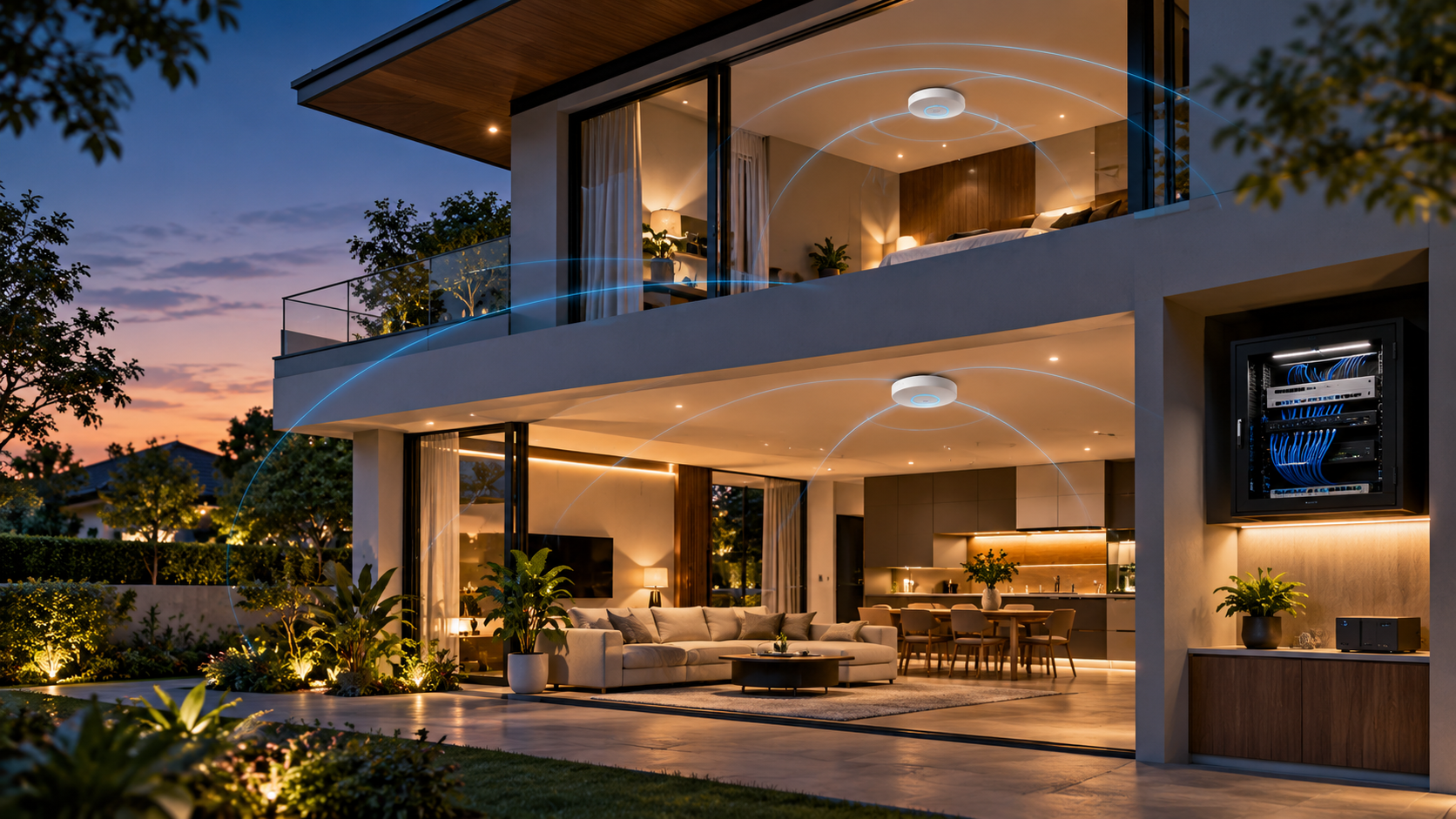
Access Point placement ต้องออกแบบจากพื้นที่จริง
อย่าเริ่มจากจำนวน AP ให้เริ่มจาก:
- จำนวนชั้น
- วัสดุผนัง/พื้น
- จุดที่อุปกรณ์หนาแน่น
- outdoor/garage area
- interference
- uplink ของ AP
AP ที่มี Ethernet backhaul มักจัดการได้ง่ายกว่าการต่อ wireless repeater หลายชั้นโดยไม่รู้ topology
IoT Radio ไม่ได้มีแค่ Wi-Fi
บ้านอาจมี:
- Wi-Fi
- Ethernet
- Zigbee
- Thread
- Bluetooth สำหรับ commissioning บางระบบ
- proprietary sub-GHz ecosystem บางชนิด
ดังนั้นคำว่า “Network” ของ Smart Home รวมถึง gateway/coordinator/border-router layer ด้วย ไม่ใช่ Router อินเทอร์เน็ตอย่างเดียว
อ่าน Matter, Zigbee และ Thread
Controller ควรอยู่บน Infrastructure ที่เสถียร
ถ้า Home Assistant เป็น automation engine หลัก ให้ถามว่า:
- Host ต่อ Ethernet ได้ไหม
- UPS จำเป็นหรือไม่ตามผลกระทบของ outage
- DNS/NTP dependency อยู่ที่ไหน
- backup อยู่ที่ไหน
- reboot แล้ว automation กลับมาสถานะอะไร
ตัว Controller เองไม่ควรตั้งอยู่บน Wi-Fi ที่ coverage แย่กว่าพวก sensor ที่มันควบคุม
Segmentation มีประโยชน์ แต่ห้ามทำจนระบบค้นหากันไม่ได้
IoT VLAN หรือ network segmentation ช่วยลด blast radius และจัด policy ได้ดีขึ้น แต่ Smart Home มี protocol ที่ใช้:
- multicast
- mDNS
- SSDP
- local discovery
- controller-to-device callback
ถ้าแยก VLAN แล้ว block ทุกอย่าง ระบบอาจ “ปลอดภัย” ในแง่ firewall แต่ใช้งานไม่ได้
จึงต้องออกแบบ:
Who initiates?
Which ports/protocols?
Is multicast discovery required?
Does controller need direct device access?
Does device really need Internet?
ไม่ควร copy firewall rule จากบ้านอื่นโดยไม่เข้าใจ integration ที่ใช้
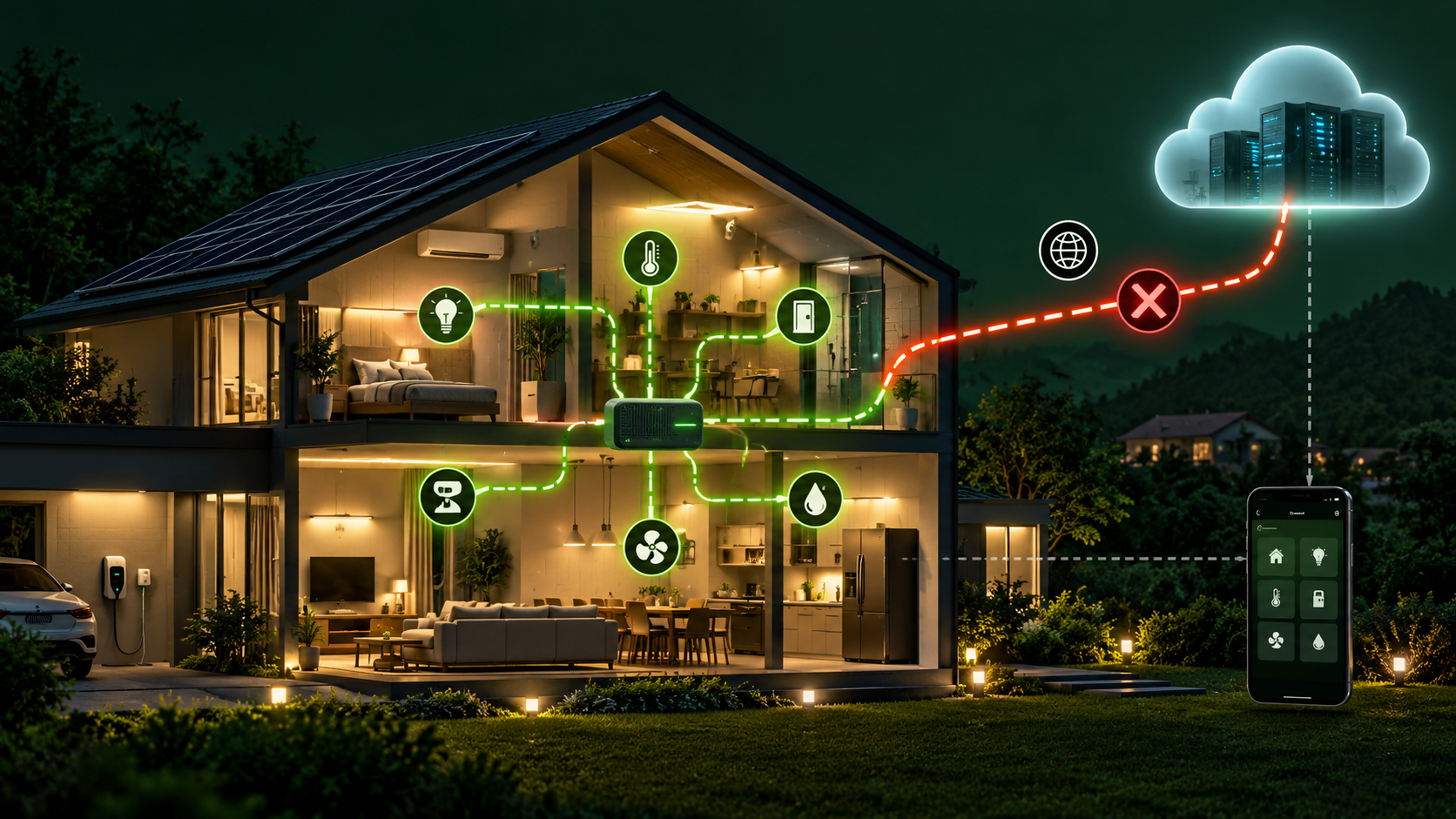
Internet dependency ต้องแยกจาก LAN dependency
บ้านอาจยังมี LAN ปกติแม้ Internet ขาด
ดังนั้นควรแยก failure test:
- WAN down แต่ LAN ยังอยู่
- Router reboot
- AP down หนึ่งจุด
- Core switch down
- DNS unavailable
- Home Assistant down
- Gateway/coordinator down
ผลกระทบแต่ละกรณีไม่เหมือนกัน
อ่านต่อ Local vs Cloud Smart Home
Gateway คือ Boundary ที่ควรรู้
Gateway/Edge Controller อาจทำหน้าที่:
- protocol translation
- local buffering
- normalization
- device discovery
- security boundary
- command ownership
อ่านพื้นฐานที่ IoT Gateway / Edge Controller
อย่ารวมทุก protocol ไว้ในกล่องเดียวเพียงเพราะสะดวก ถ้ากล่องนั้นเสียแล้วบ้านทั้งระบบหยุด
Monitoring Network Health
สิ่งที่มีประโยชน์:
- controller availability
- AP/switch state
- packet loss/latency ในจุดสำคัญ
- RSSI/LQI ตาม protocol เมื่อมีความหมาย
- device last_seen
- gateway queue/error
แต่ไม่ควรสร้าง alert ทุกครั้งที่ battery sensor หลับตาม design
การเดินสายควรเผื่ออนาคต
ถ้ากำลังก่อสร้าง ให้คิด Ethernet conduit, AP ceiling point, rack/cabinet space และ power infrastructure ล่วงหน้า
อ่าน วางระบบไฟ Smart Home ตั้งแต่สร้างบ้าน
Security baseline
อย่างน้อยควร:
- เปลี่ยน default credential
- update firmware/infrastructure ตาม risk
- ไม่ expose device admin page ออก Internet โดยตรง
- แยก guest network ตามความเหมาะสม
- ใช้ secure remote access
- เก็บ network diagram/credential ownership ให้คนดูแลต่อได้
Network security เป็น process ไม่ใช่ชื่อ feature บน Router
สรุป
Smart Home Network ที่ดีประกอบด้วย wired backbone ที่เหมาะสม, Wi-Fi coverage ที่วัดจากพื้นที่จริง, IoT radio/gateway ที่เข้าใจบทบาท, segmentation ที่ไม่ทำลาย discovery และ failure domain ที่ทดสอบได้
ถ้าระบบเสถียรตั้งแต่ network layer Automation ชั้นบนจะ debug ง่ายขึ้นมาก